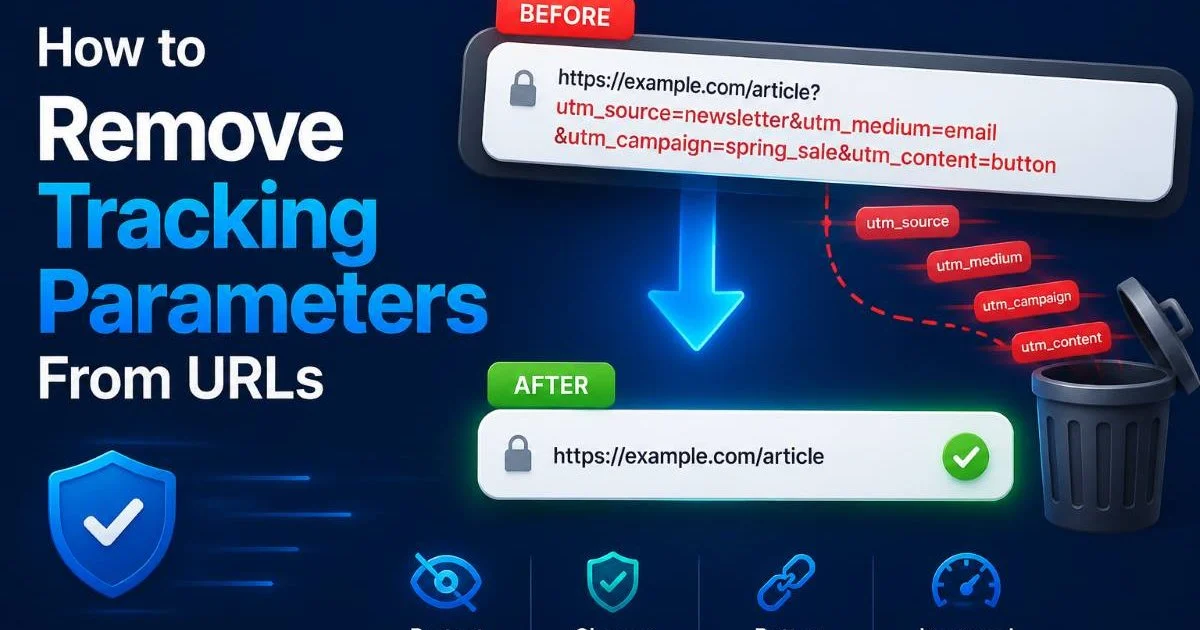
Learning to remove tracking parameters from URLs is one of the most practical skills you can develop as a web developer or marketer. Every time someone clicks a link in an email campaign, social media post, or paid ad, the destination URL often carries a tail of query parameters like utm_source, fbclid, or gclid.
These fragments serve legitimate analytics purposes, but they also create duplicate content issues, clutter your analytics reports, compromise user privacy, and make URLs nearly impossible to share cleanly. Understanding what a URL is and how it works gives you the foundation to see exactly where these parameters sit and why they matter. This guide walks you through the entire process, from identifying which parameters to strip to automating the cleanup at scale.
Key Takeaways
- Tracking parameters inflate page variations and hurt SEO through duplicate content signals.
- UTM, fbclid, gclid, and mc_eid are among the most common parameters to target.
- Browser extensions can strip trackers automatically before pages even load.
- Server-side redirects give you the most reliable, scalable parameter removal method.
- Always preserve functional parameters that your application needs to operate correctly.
Step 1: Identify Tracking Parameters in Your URLs
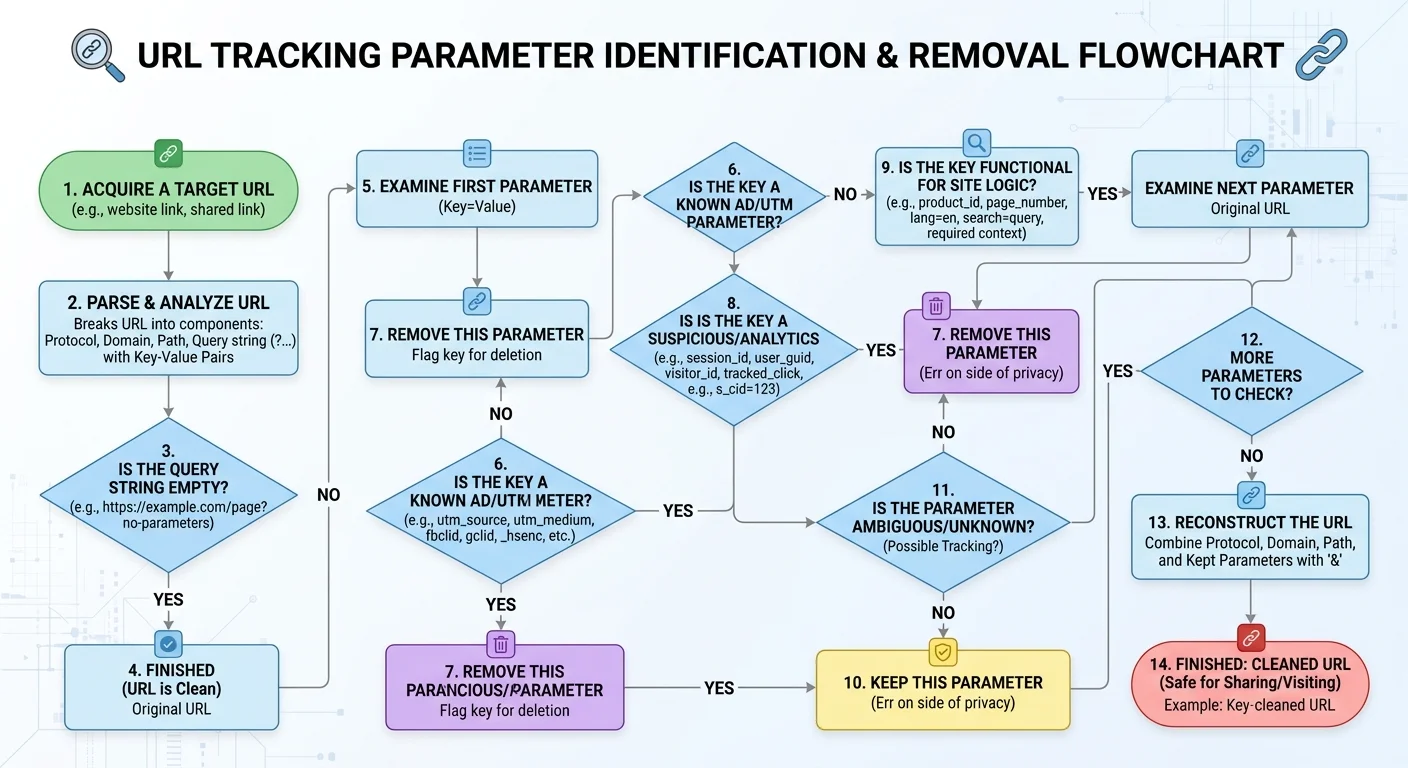
Before you start deleting query strings, you need to know which parameters are trackers and which ones your application actually needs. A URL like https://example.com/product?id=42&utm_source=newsletter&fbclid=abc123 contains three parameters. The id parameter is functional; it tells your server which product to display. The other two exist purely for analytics tracking. Removing id would break the page, while removing the others would simply clean it up.
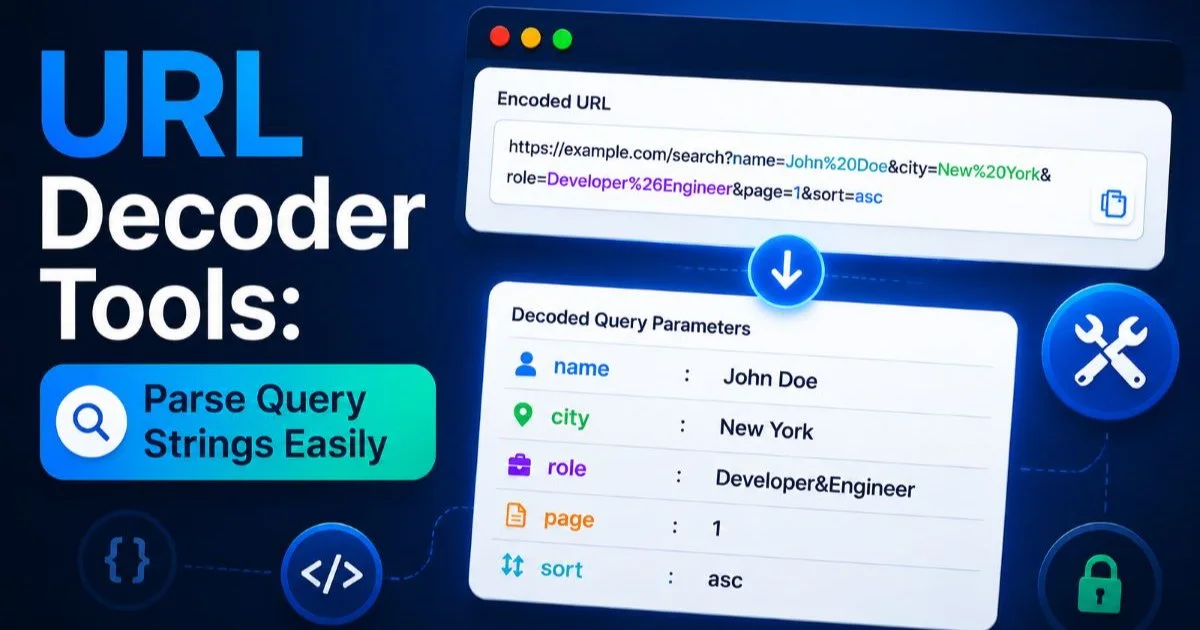
The distinction between functional and tracking parameters is not always obvious. Some platforms use parameters like ref for both attribution and content rendering. If you want to understand how parameters are structured and encoded, reading about percent encoding and how URLs encode data will clarify what you are looking at. Take time to audit your URLs before building any removal logic. Document every parameter your site uses and classify each one.
Common Tracking Parameters to Watch For
The most widespread tracking parameters come from Google Analytics (UTM family), Facebook (fbclid), Google Ads (gclid), and email platforms (mc_eid from Mailchimp, _ke from Klaviyo). Microsoft Advertising uses msclkid, while the HubSpot appends hsa_ prefixed parameters. Each ad platform and marketing tool has its own conventions, and new ones appear regularly as platforms evolve their attribution models.
| Parameter | Source Platform | Purpose | Safe to Remove? |
|---|---|---|---|
| utm_source, utm_medium, utm_campaign | Google Analytics | Campaign attribution | Yes |
| fbclid | Facebook / Meta | Click identification | Yes |
| gclid | Google Ads | Conversion tracking | Yes (after capture) |
| msclkid | Microsoft Ads | Click tracking | Yes (after capture) |
| mc_eid | Mailchimp | Email subscriber ID | Yes |
| _ke | Klaviyo | Email click tracking | Yes |
| hsa_cam, hsa_grp | HubSpot Ads | Ad campaign data | Yes |
Create a living document of all tracking parameters your team uses so new hires and contractors can reference it quickly.
Step 2: Remove Tracking Parameters Manually and With Browser Tools
The simplest way to remove tracking parameters is manual editing. When you see a long URL with a question mark followed by key-value pairs, everything after (and including) the ? can potentially be stripped. If you need to keep some parameters, remove only the tracking ones by deleting each &key=value pair individually. This works fine for one-off cleanups, pasting clean links into documentation, or sharing URLs in presentations where aesthetics matter.
For a faster approach, tools like the one at URL Decode let you paste a URL and instantly see its decoded components. This is particularly helpful when parameters contain percent-encoded characters that make them hard to read. If you want a deeper walkthrough on reading these values, the guide on how to decode URL parameters covers the process step by step. Once decoded, you can clearly see which parameters to keep and which to discard.
Browser Extensions That Automate Removal
Several browser extensions handle tracking parameter removal automatically as you browse. ClearURLs is the most popular open-source option, maintaining a regularly updated list of known tracking parameters across hundreds of domains. Neat URL is another solid choice for Firefox users. These extensions intercept requests before they reach the server, stripping out trackers so your browsing stays clean without any manual effort on your part.
Browser extensions only protect you locally. They do not clean URLs for your site visitors or in your analytics pipelines.
For teams that collaborate on content and marketing, establishing a shared browser extension policy helps maintain consistency. When everyone on your team uses the same extension configured with the same rules, the URLs pasted into Slack channels, project management tools, and documentation stay clean. This small habit reduces confusion and keeps shared links professional. Consider adding extension recommendations to your team onboarding docs.
"Clean URLs are not just a technical nicety; they directly affect SEO, user trust, and the accuracy of your analytics data."
Step 3: Strip Tracking Parameters at the Server Level
Server-side removal is where you get real, scalable control over tracking parameters. By configuring your web server to redirect URLs that contain tracking parameters to their clean equivalents, you solve the problem for every visitor, not just those with browser extensions. This approach also sends a strong signal to search engines that the canonical version of each page has no tracking clutter, which directly addresses duplicate content concerns.
The strategy is straightforward: capture the tracking data you need (usually by logging it or passing it to your analytics layer first), then issue a 301 redirect to the clean URL. This way, your analytics still gets the attribution data from the initial request, but the user ends up on a tidy URL that is easy to bookmark and share. When building these systems, understanding query string parsing and how to extract data from URLs helps you write more precise rules.
Nginx and Apache Configuration Examples
In Nginx, you can use the if directive combined with a regex to detect tracking parameters and rewrite the URL. A simple approach uses $request_uri to check for known parameters, then redirects to the base path. In Apache, mod_rewrite with RewriteCond and RewriteRule handles the same task. Both methods let you target specific parameters while preserving any functional query strings your application requires.
Always test server-side redirect rules in a staging environment first. A misconfigured rewrite can create infinite redirect loops or break critical functionality.
CDN-level solutions offer another powerful option. Cloudflare's Transform Rules, for instance, let you strip query parameters at the edge before requests even reach your origin server. This reduces load on your infrastructure while keeping URLs clean. For teams already using a CDN, this is often the fastest path to implementation. The rules are typically configured through a dashboard interface, making them accessible even to team members who are not comfortable editing server config files directly.
Step 4: Automate Tracking Parameter Removal Across Your Stack
When your marketing operation spans multiple channels, manual cleanup becomes impractical. You need automation that removes tracking parameters from URLs at every point they enter your systems: CRM imports, API integrations, database entries, and internal link sharing. Building a URL sanitization function that runs across your stack prevents dirty URLs from propagating through your data and causing downstream problems in reports and user-facing interfaces.
A well-designed URL cleaning function should accept a URL string, parse its query parameters, filter out any parameters matching your blocklist, and reconstruct the URL with only the surviving parameters. Most programming languages have built-in URL parsing utilities. Python has urllib.parse, JavaScript has the URL and URLSearchParams APIs, and PHP offers parse_url combined with parse_str. The pattern is the same across all of them.
JavaScript and API-Based Approaches
In JavaScript, the URLSearchParams API makes this task clean and readable. You create a new URL object, iterate over its search parameters, delete any that match your tracking blocklist, and return the cleaned URL string. This function can live in a shared utility module that every part of your application imports. For frontend applications, running this cleanup on link clicks or form submissions keeps your internal navigation tidy without affecting outbound tracking.
For organizations building AI-powered web applications, URL sanitization should be part of the data preprocessing pipeline. Large language models and other AI tools that process web content will produce cleaner outputs when fed normalized, parameter-free URLs. Similarly, teams conducting code and license auditing should check that URL handling libraries used across their projects consistently strip trackers and do not introduce unwanted dependencies.
Maintain your tracking parameter blocklist as a shared configuration file or environment variable so you can update it across all services simultaneously.
Automation also means monitoring. Set up alerts for when new, unknown parameters start appearing in your URL logs. Marketing teams frequently add new tracking parameters without notifying engineering, and those unrecognized parameters can slip through your filters. A weekly report showing the top query parameters across your site traffic helps you catch additions early and decide whether they belong on the blocklist or need to be preserved for a new integration.
Frequently Asked Questions
?How do I strip utm_source and fbclid without breaking functional parameters like id?
?Is a browser extension or server-side redirect better for removing tracking parameters?
?How long does it take to audit and classify all tracking parameters on a large site?
?Will removing gclid break my Google Ads conversion tracking?
Final Thoughts
Taking the time to remove tracking parameters from your URLs pays dividends across SEO, user experience, and data quality. Start by auditing your current parameters, then implement the approach that matches your scale: manual for small sites, server-side for medium operations, and fully automated pipelines for enterprise setups.
The key is treating URL hygiene as an ongoing practice, not a one-time project. Clean URLs reflect a team that cares about the details, and both search engines and users notice that care.
Disclaimer: Portions of this content may have been generated using AI tools to enhance clarity and brevity. While reviewed by a human, independent verification is encouraged.