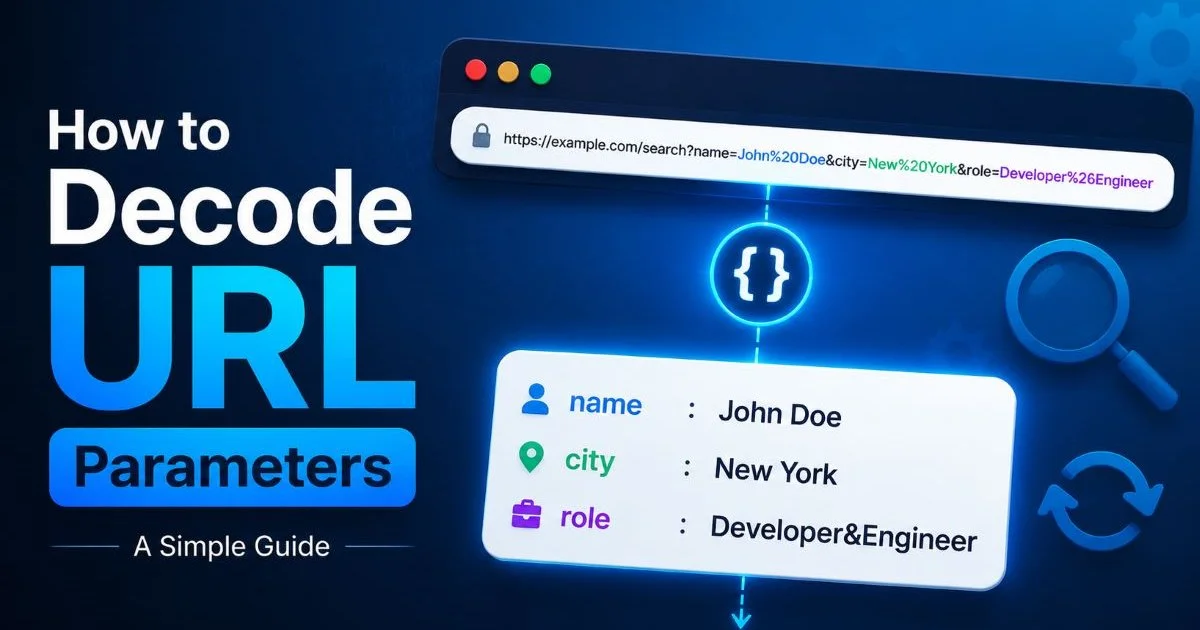
To decode URL parameters means to convert percent-encoded characters in a web address back into their readable, human-friendly form. If you've ever copied a link from your browser and found it littered with %20, %3D, or %26, you've encountered URL encoding firsthand. For web developers and marketers, the ability to decode URL parameters is not just a nice-to-have skill; it's a practical necessity.
Encoded URLs hide valuable information: campaign tracking codes, user session data, redirect destinations, and product identifiers. Without decoding, you're flying blind. Understanding what sits inside a query string helps you debug broken links, audit marketing attribution, and spot unwanted tracking.
This guide breaks down the concept from scratch, walks through real examples, and shows you how to work with encoded URLs confidently.
Key Takeaways
- URL encoding replaces special characters with percent-encoded equivalents to keep links valid.
- You can decode URL parameters using browser tools, online decoders, or programming languages.
- Removing tracking parameters from shared links protects user privacy and reduces clutter.
- Marketers rely on query strings for campaign attribution, so understanding them matters.
- Misreading encoded values leads to broken redirects, lost analytics data, and debugging headaches.
How URL Encoding and Decoding Works
The Anatomy of a Query String
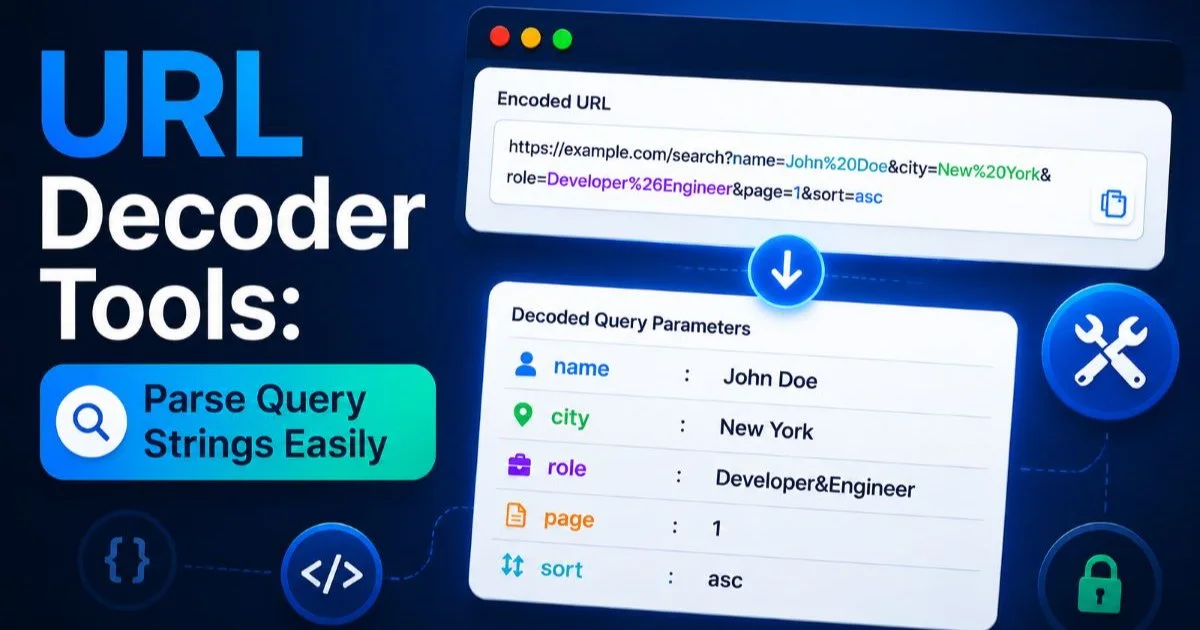
Every URL can contain a query string, which is the portion that follows the ? character. Query strings consist of key-value pairs separated by & symbols. For example, in https://example.com/search?q=hello+world&lang=en, there are two parameters: q with a value of "hello world" and lang with a value of "en." These parameters carry instructions to the server about what content to return or how to process the request. When you clean query strings, you're working directly with this part of the URL.
Parameters can hold surprisingly complex data. Nested JSON objects, base64-encoded tokens, and redirect URLs are all commonly stuffed into query strings. A single URL might contain another full URL as a parameter value, which itself has its own parameters. This nesting is where things get messy fast, and it's exactly why the ability to parse URL links becomes so valuable for anyone working with web traffic.
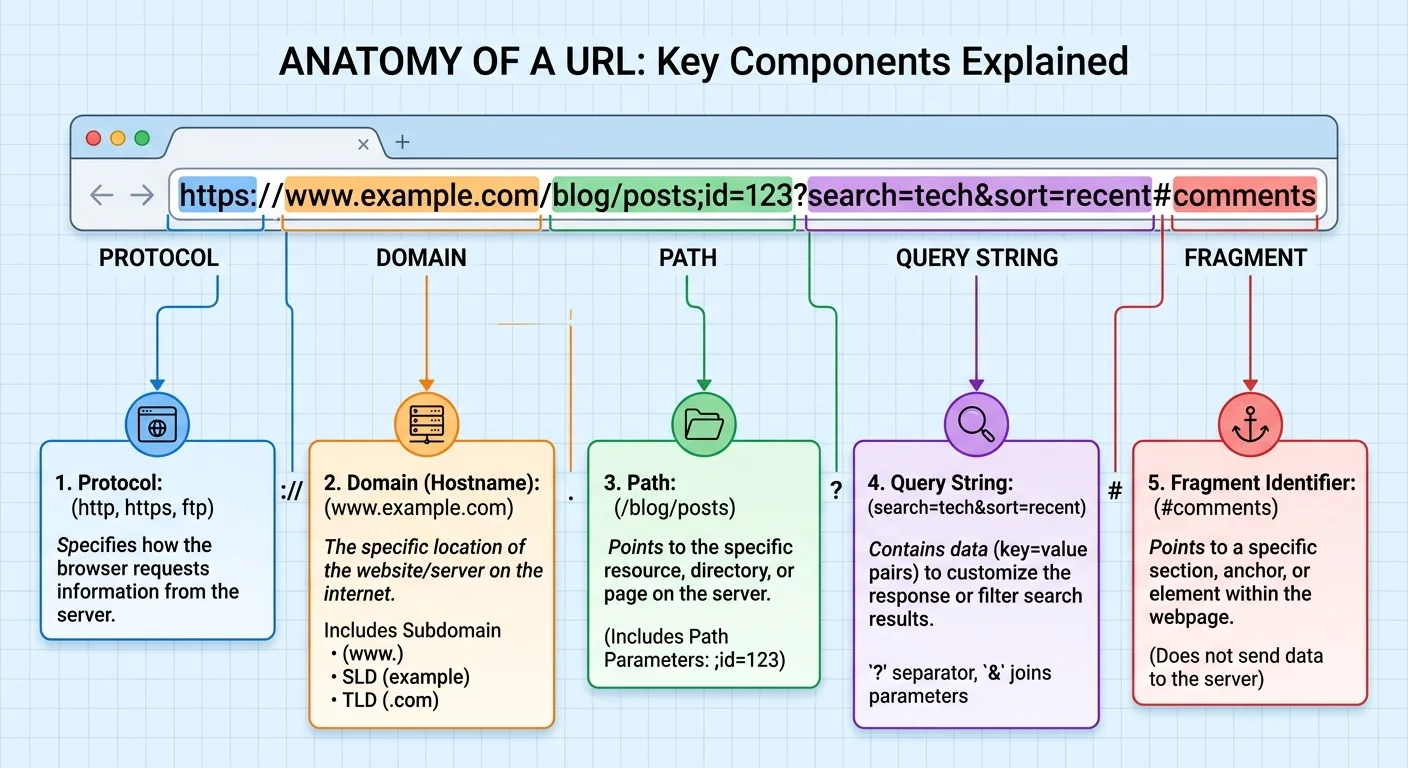
Percent-Encoding Explained
URLs can only contain a limited set of ASCII characters. When a URL needs to include characters outside that set (spaces, ampersands, equals signs within values, or non-Latin characters), they get replaced with a percent sign followed by two hexadecimal digits. A space becomes %20, an ampersand becomes %26, and a forward slash becomes %2F. This process is called percent-encoding, and it's defined in RFC 3986. Without it, browsers and servers would misinterpret the structure of the URL.
Decoding is simply the reverse. When you decode URL parameters, you translate those percent-encoded sequences back into their original characters. The process is deterministic: %40 always means @, %3A always means :. There's no ambiguity. Double-encoding can occur when a URL gets encoded twice accidentally, turning %20 into %2520. Recognizing this pattern is a practical debugging skill that saves hours of frustration.
If a decoded URL still looks encoded, try decoding it a second time. Double-encoding is more common than most developers realize.
| Character | Encoded Form | Where You'll See It |
|---|---|---|
| Space | %20 or + | Search queries, form data |
| & | %26 | Parameter values containing URLs |
| = | %3D | Nested key-value pairs |
| / | %2F | Redirect URLs passed as parameters |
| @ | %40 | Email addresses in query strings |
| ? | %3F | URLs embedded within other URLs |
| # | %23 | Fragment identifiers in parameter values |
Why Decoding URLs Matters
For Developers
Web developers encounter encoded URLs constantly. API responses, webhook payloads, server logs, and error messages all contain URL-encoded data that needs inspection. When a user reports a broken link, the first step is often to inspect URL values buried in a redirect chain. A misplaced %26 can split a parameter value incorrectly, sending users to a 404 page. Understanding encoding also matters when building HTML websites, where link attributes must be properly encoded to render correctly in the browser.
Server-side debugging depends heavily on this skill. Log files store request URLs in their encoded form, so reading them requires decoding. When you're comparing expected versus actual query parameters during a code audit, as discussed in comparisons between AI and manual code audits, clean readable URLs make the process dramatically faster. Without decoding, pattern matching across thousands of log entries becomes an exercise in frustration rather than analysis.
For Marketers
Marketers live and breathe UTM parameters. Every campaign link contains tags like utm_source, utm_medium, and utm_campaign that feed into analytics platforms. When these values get double-encoded or corrupted, attribution breaks silently. You might see a campaign showing as spring%2520sale instead of "spring sale" in Google Analytics, splitting your data into phantom entries. Knowing how to decode URL parameters lets you catch these errors before they pollute weeks of reporting data.
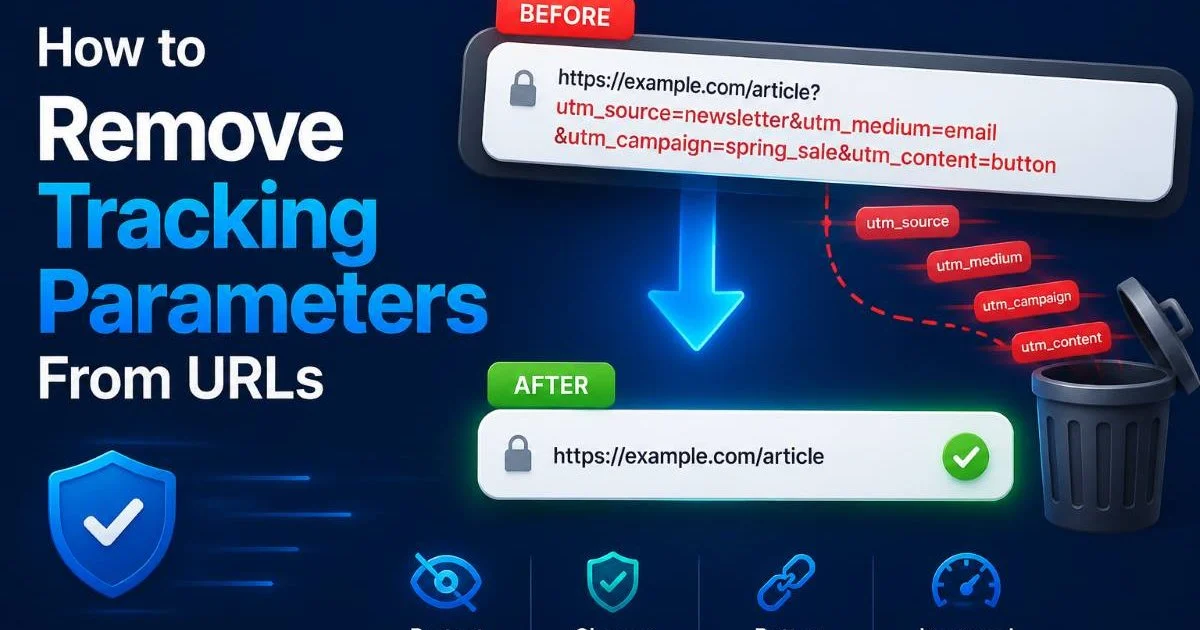
Beyond attribution, marketers should also think about what they share. When you copy a product URL from an e-commerce site, it often carries session IDs, affiliate codes, and behavioral tracking parameters. Learning to remove tracking parameters before sharing links with colleagues or on social media is a privacy-conscious habit. It also produces cleaner, shorter URLs that look more trustworthy to the people clicking on them.
"If you can't read the URL, you can't trust the data it's feeding into your analytics."
Real-World Examples and Common Misconceptions
Practical Examples
Consider a Facebook ad link that redirects through multiple tracking services. The final URL might look like this: https://tracker.example.com/click?url=https%3A%2F%2Fshop.example.com%2Fproduct%3Fid%3D42%26color%3Dblue&fbclid=abc123. Without decoding, the destination is unreadable. After decoding, you can see it points to https://shop.example.com/product?id=42&color=blue. The fbclid parameter is Facebook's click identifier, a tracking parameter that most users would want stripped away when sharing the link.
Another common scenario involves Google search result URLs. When you right-click a search result and copy the link, Google wraps the actual destination inside a redirect URL full of encoded parameters. The real link you want sits inside a url= parameter, fully percent-encoded. Email marketing platforms do the same thing, wrapping every link in click-tracking redirects. Understanding how to parse URL links from these wrappers gives you visibility into where traffic actually lands.
Misconceptions Worth Clearing Up
One widespread misconception is that URL encoding is a form of encryption or security. It is not. Encoding is a formatting convention, not a protection mechanism. Anyone can decode a percent-encoded string instantly. If you see sensitive data like passwords or tokens in a URL (even encoded), that's a security vulnerability, not a safety feature. The purpose of encoding is purely structural: keeping URLs syntactically valid so browsers and servers can process them correctly.
Another common misunderstanding is that the + sign and %20 are always interchangeable. In query strings specifically (form-encoded data), + represents a space. But in the path portion of a URL, + is a literal plus sign. This distinction trips up developers regularly, especially when migrating between frameworks that handle these conversions differently. Knowing what coding is used for in web contexts helps clarify why these seemingly small details create real bugs.
Never put sensitive information like passwords or API keys in URL parameters. They get logged in browser history, server logs, and analytics platforms regardless of encoding.
Tools and Techniques for Working with Encoded URLs
Using a URL Decoder Tool
The fastest way to decode a URL is with a dedicated URL decoder tool like the one at urldecode.dev. You paste your messy URL, and the tool instantly shows the decoded version with all parameters clearly separated. Good tools also let you inspect individual parameter values, identify tracking parameters, and copy the cleaned version. For marketers who don't write code, this is the most accessible way to inspect URL values and verify campaign links before launch.
Browser developer tools also offer decoding capabilities. In Chrome's DevTools, the Network tab shows decoded query parameters for every request. Firefox has a similar feature. These built-in tools work well for real-time debugging during development. However, they require the page to actually load, which isn't always desirable if you're inspecting a suspicious link. A standalone URL decoder tool gives you safe inspection without triggering any requests to the destination server.
Bookmark a URL decoder tool in your browser's toolbar. You'll use it more often than you expect, especially when debugging redirect chains or auditing marketing links.
Programmatic Approaches
Every major programming language has built-in URL decoding functions. In JavaScript, decodeURIComponent() handles individual parameter values while decodeURI() processes full URLs. Python offers urllib.parse.unquote() and urllib.parse.parse_qs() for splitting query strings into dictionaries. PHP has urldecode(). These functions are straightforward, but choosing the right one matters. Using decodeURIComponent on a full URL can break it by decoding structural characters like / and ? that should stay encoded.
For automated workflows, writing a small script to decode URL parameters from log files or CSV exports saves significant time. A Python script of just ten lines can read a file of encoded URLs, decode each one, extract specific parameters, and output a clean spreadsheet. This approach scales where manual tools don't. When you're processing thousands of campaign URLs or analyzing server logs from a high-traffic site, programmatic decoding moves from convenient to essential.
Always decode parameter values individually rather than decoding the entire URL at once. Decoding the full string can corrupt its structure by unescaping characters that serve as delimiters.
Frequently Asked Questions
?How do I decode a URL that contains another full URL as a parameter?
?Is a browser decoder tool better than using JavaScript to decode URL parameters?
?How long does it take to audit tracking parameters across a full marketing campaign?
?Can misreading a percent-encoded value actually break campaign attribution?
Final Thoughts
Working with URLs is a daily reality for developers and marketers alike, and the encoded mess hiding inside most web links deserves your attention.
Whether you need to decode URL parameters for debugging, clean query strings for privacy, or remove tracking parameters before sharing, the skills and tools are readily available. Start with a reliable URL decoder tool for quick inspections, and build toward programmatic solutions as your needs grow. The web runs on URLs, and reading them fluently makes you better at your job.
Disclaimer: Portions of this content may have been generated using AI tools to enhance clarity and brevity. While reviewed by a human, independent verification is encouraged.