Learning to decode URL parameters is one of those skills that pays off every single day, whether you're debugging a web application, analyzing campaign traffic, or cleaning up messy redirect chains. URLs carry more information than most people realize.
What looks like random gibberish after the question mark is actually structured data, encoded according to specific rules that browsers and servers rely on. When something goes wrong with that encoding, links break, tracking data gets lost, and users land on error pages.
Understanding how to decode URL strings properly gives you visibility into what's actually happening behind every click. This guide walks you through the process step by step, with real examples you can apply immediately. If you're a developer troubleshooting API calls or a marketer auditing UTM tags, this is the reference you'll keep coming back to.
Key Takeaways
- URL parameters use percent-encoding to represent special characters safely in browser address bars.
- You can decode URL strings using browser tools, command-line utilities, or dedicated web apps.
- Tracking parameters from ad platforms often double-encode values, causing analytics discrepancies.
- Removing unnecessary query parameters improves link readability and reduces privacy exposure risks.
- Automated decoding tools save significant time when processing URLs at scale for campaigns.
Step 1: Understand URL Structure and Percent-Encoding
Before you can decode URL parameters effectively, you need to understand how URLs are built. A URL consists of several parts: the scheme (https), the host (example.com), the path (/products), and the query string (everything after the ?). The query string carries key-value pairs separated by ampersands. For a thorough breakdown of each component, our guide on what a URL is and how it works covers the fundamentals. Each component follows strict formatting rules defined by RFC 3986.
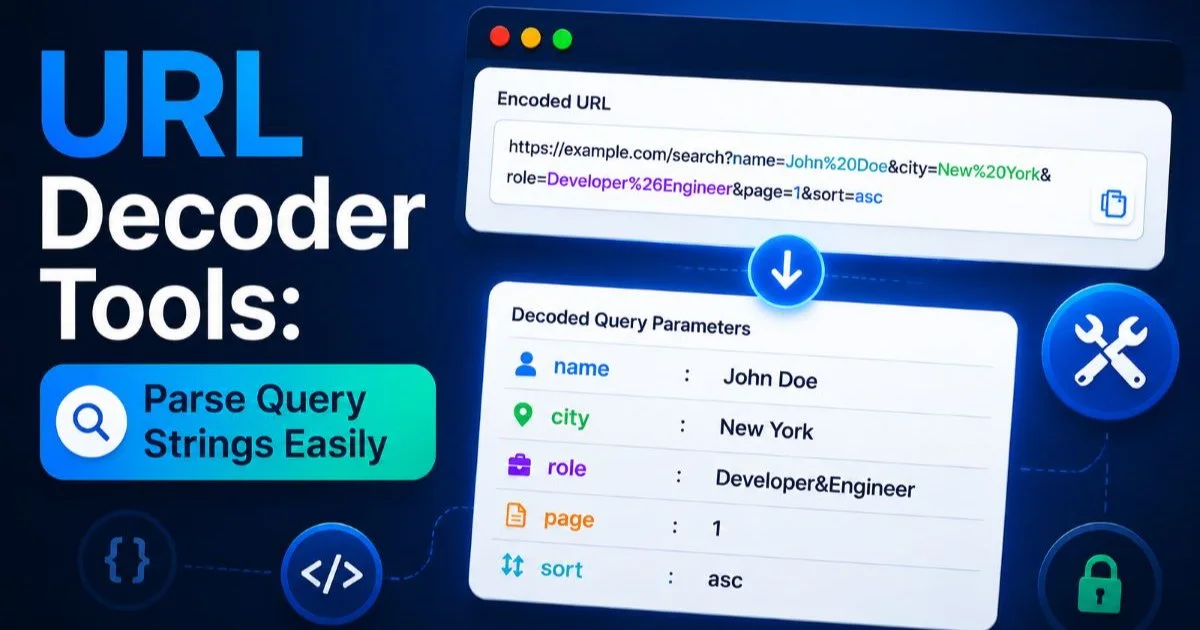
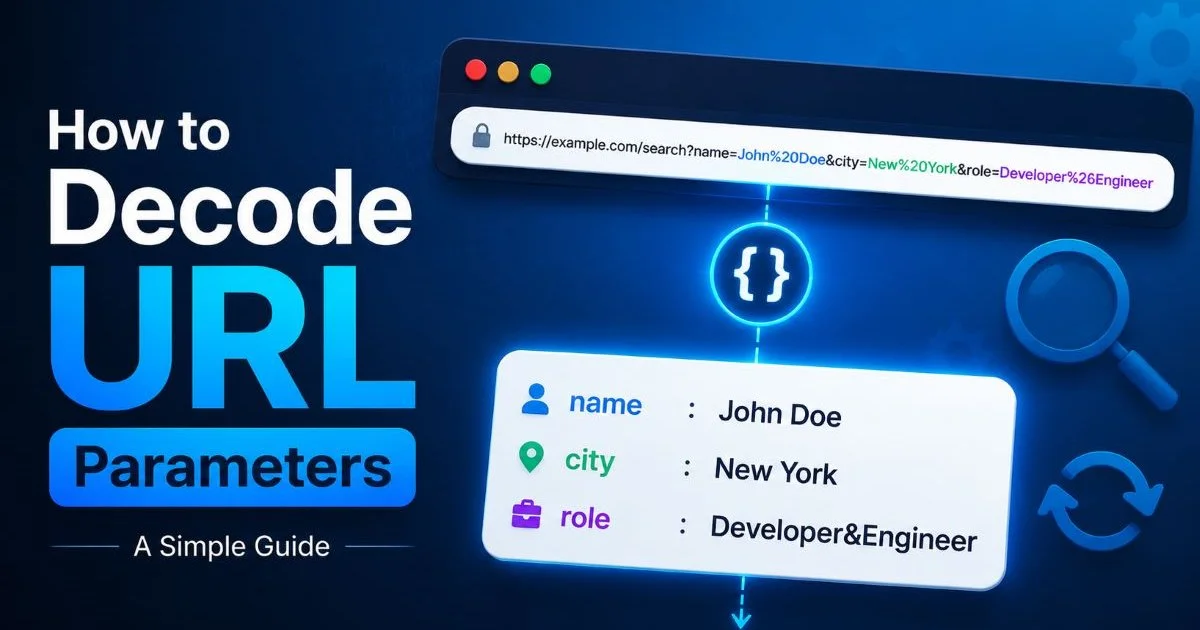
Percent-encoding (also called URL encoding) replaces unsafe ASCII characters with a percent sign followed by two hexadecimal digits. A space becomes %20, an ampersand becomes %26, and a forward slash becomes %2F. This mechanism exists because certain characters have reserved meanings in URLs. Without encoding, a literal ampersand inside a parameter value would be misinterpreted as a separator between parameters, corrupting the data entirely.
Anatomy of a Query String
Consider a URL like https://shop.example.com/search?q=red%20shoes&category=women%27s&sort=price. Here, q=red%20shoes tells the server to search for "red shoes," while %27 represents an apostrophe in "women's." Each parameter pair is joined by &, forming a structured data payload. Knowing how to read this structure lets you spot problems before they propagate through analytics pipelines or server logs.
The encoding rules apply universally across browsers and servers. UTF-8 characters like accented letters or emoji get multi-byte encoded, so a single character might expand into six or nine characters in encoded form. This is why encoded URLs look so long and intimidating. Once you learn the patterns, though, reading them becomes almost second nature. The key is recognizing that every %XX sequence maps to a specific character.
Step 2: Identify Encoded Characters in Your URLs
The next step is learning to spot encoded characters in the wild. Not all URLs contain obvious encoding. Some parameters look perfectly clean, while others are dense walls of percent signs and hex values. The most common characters you'll encounter are spaces (%20 or + in form data), equals signs (%3D), and slashes (%2F). When you see these patterns, you know the URL is carrying encoded data that needs decoding for human readability.
Common Encoded Values
| Character | Encoded Form | Where You'll See It |
|---|---|---|
| Space | %20 or + | Search queries, form submissions |
| & | %26 | Values containing literal ampersands |
| = | %3D | Nested parameter values |
| / | %2F | Encoded path segments in parameters |
| ? | %3F | URLs passed as parameter values |
| @ | %40 | Email addresses in query strings |
| # | %23 | Fragment identifiers passed as data |
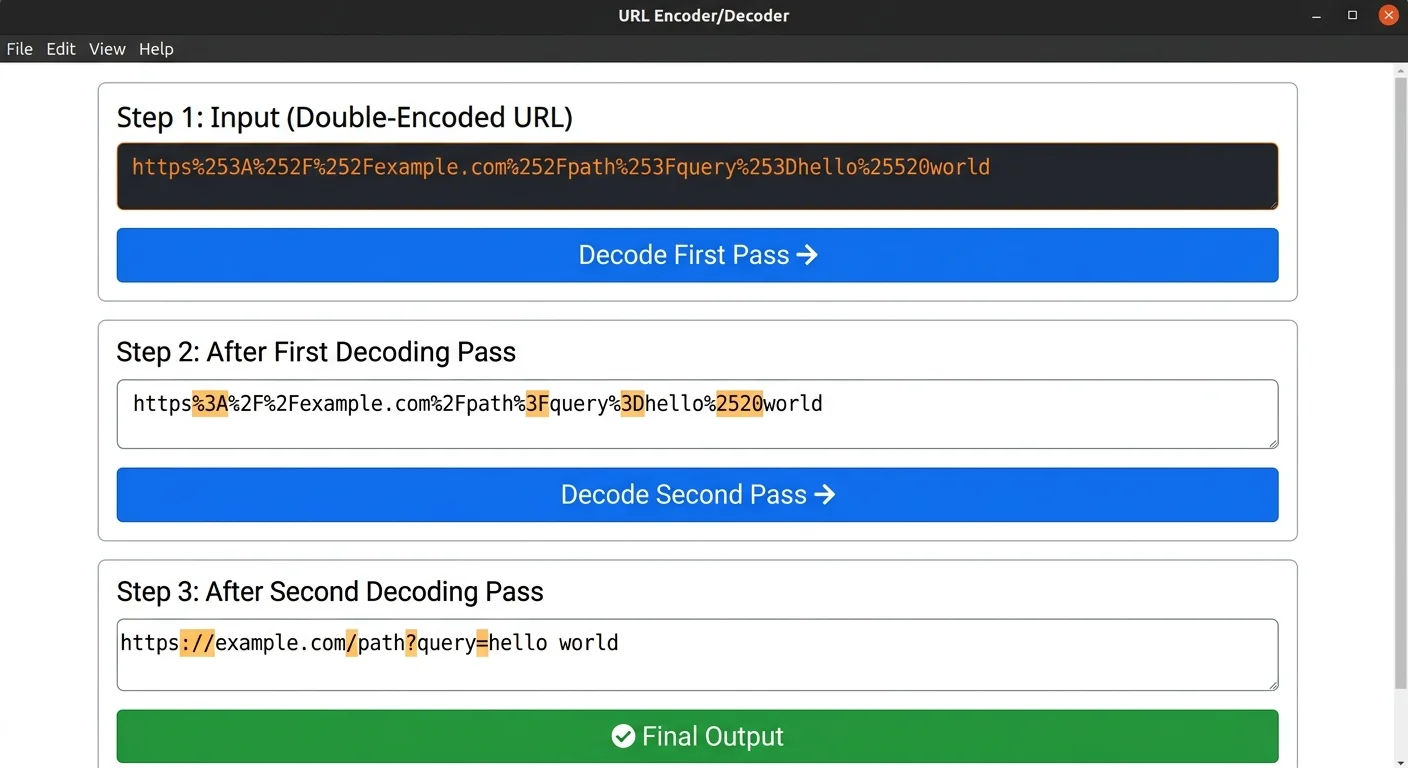
Double encoding is a frequent headache. This happens when an already-encoded string gets encoded again, turning %20 into %2520. Ad platforms and redirect chains are notorious for this. Facebook's click tracker, Google's GCLID redirects, and affiliate networks each apply their own encoding layer. If you decode only once, you'll still have encoded characters. You need to recognize when a second decoding pass is required.
Double-encoded URLs can break server-side routing. Always check whether your decoded output still contains percent signs.
One practical test: paste a suspicious URL into a text editor and search for %25. If you find it, double encoding is present, because %25 is the encoded form of the percent sign itself. Marketing teams frequently encounter this when building links through multiple platforms, where each system helpfully encodes the URL before passing it to the next. The result is a URL that no human can read and sometimes no server can parse correctly.
Identifying encoding issues early prevents downstream problems. Broken tracking pixels, miscounted conversions, and misdirected users all trace back to encoding errors in many cases. A quick decode check before deploying any campaign URL is a habit worth building. It takes thirty seconds and can save hours of debugging later.
Step 3: Decode URL Parameters with the Right Tools
You have several options for actually performing the decode, ranging from browser-based tools to command-line utilities and programming languages. The fastest approach for one-off checks is a dedicated web tool like URL Decode, which instantly breaks down query strings into readable key-value pairs. For bulk operations or integration into development workflows, JavaScript's decodeURIComponent() and Python's urllib.parse.unquote() are your go-to functions.
Browser and CLI Methods
In any modern browser, open the developer console (F12) and type decodeURIComponent('your%20encoded%20string'). You'll get the decoded output instantly. For command-line users, Python offers a one-liner: python3 -c "from urllib.parse import unquote; print(unquote('your%20string'))". On Linux and macOS, you can pipe encoded strings through sed or purpose-built tools. Each method suits different contexts, and knowing all three makes you adaptable.
Bookmark a URL decoder tool in your browser toolbar. You'll reach for it more often than you expect, especially during campaign launches.
When building web applications, you should also consider how your tools handle the decoding process. If you're developing a Progressive Web App that processes URLs client-side, always use decodeURIComponent() rather than the older unescape() function, which doesn't handle UTF-8 properly. For server-side processing, most frameworks automatically decode query parameters, but custom middleware or URL rewriting rules might bypass that automatic behavior. Test explicitly.
Automated pipelines deserve special attention. If you process thousands of URLs through ETL jobs or analytics scripts, build in validation that catches encoding anomalies. Log any URL that still contains % sequences after decoding, as this signals either double encoding or malformed data. Catching these early in the pipeline prevents garbage from flowing into your reports and dashboards. Consistent decoding logic across your stack is non-negotiable for data accuracy.
Step 4: Clean and Audit Your Decoded URLs
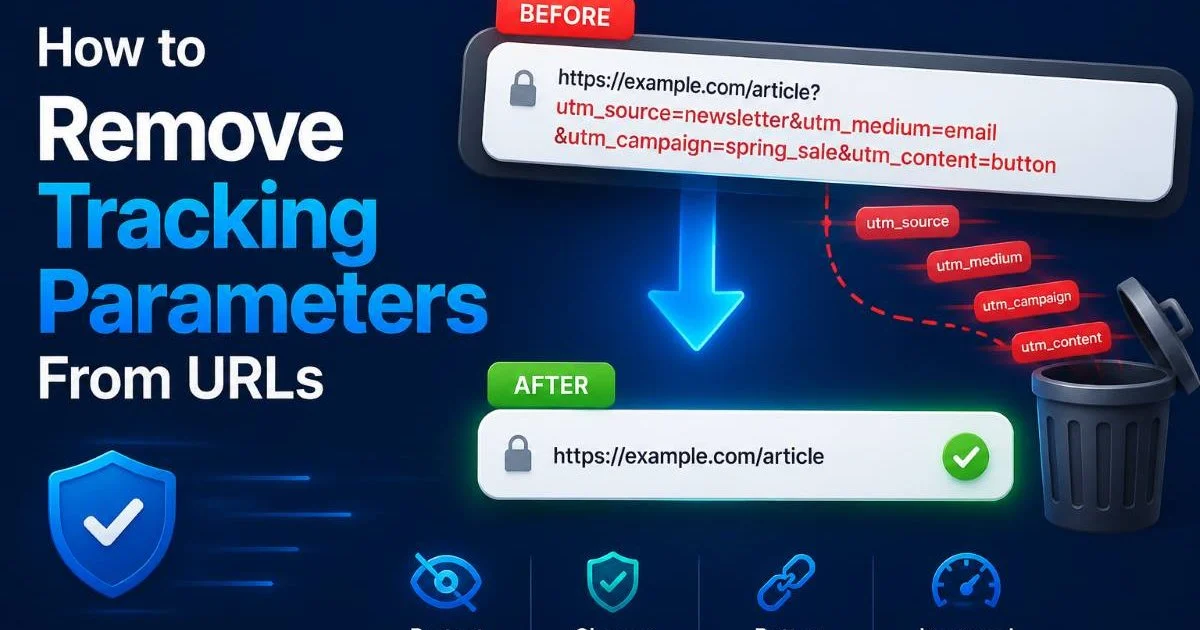
Once you decode URL parameters, the next logical step is cleaning them. Many URLs carry parameters that serve no purpose for the end user: tracking IDs, session tokens, cache busters, and platform-specific metadata. Stripping these parameters improves link sharing, protects user privacy, and makes URLs more readable. Marketers who share decoded, cleaned URLs in reports communicate more clearly with stakeholders who don't need to see fbclid or gclid values cluttering the string.
Stripping Tracking Parameters
Common tracking parameters include utm_source, utm_medium, utm_campaign, fbclid, gclid, mc_eid, and _ga. Some of these are valuable for your own analytics, while others are platform artifacts. The decision about what to strip depends on context. If you're sharing a clean link publicly, remove everything except the essential path and query parameters the destination page actually needs to function. For internal analytics, preserve UTM tags but strip platform click IDs.
"A decoded, cleaned URL tells you exactly where a link goes and what data it carries, with nothing hidden behind encoding."
Security auditing is another reason to regularly decode URL parameters across your application. Encoded payloads can hide malicious input, including SQL injection attempts, cross-site scripting (XSS) vectors, and path traversal attacks. Web application firewalls should decode parameters before evaluating them, but misconfigurations happen. Running a code audit that includes URL handling logic helps identify spots where encoded input might bypass validation. This applies to both first-party code and third-party dependencies.
Always decode URL parameters before applying security validation rules. Attackers deliberately use encoding to bypass naive input filters.
For marketers managing large campaigns, building a URL hygiene checklist pays dividends. Before launching any campaign, decode every destination URL, verify each parameter maps to the correct value, and confirm that redirect chains preserve the intended parameters without corruption. After launch, periodically sample live URLs from ad platform reports and decode them to verify consistency. This practice catches issues like ad platforms appending duplicate parameters or overwriting your UTM values with their own defaults.
Building documentation around your URL parameter conventions is the final piece of this step. Record which parameters your application expects, what encoding they require, and how they should be decoded on the server side. When every team member, from developers to campaign managers, works from the same reference, encoding errors drop dramatically. Shared documentation also speeds up onboarding and reduces the time spent debugging mysterious broken links.Frequently Asked Questions
?How do I decode double-encoded UTM parameters from ad platforms?
?Is decoding URLs in the browser enough, or do I need a dedicated tool?
?How long does it take to audit decoded UTM tags across a full campaign?
?Does removing query parameters after decoding affect site analytics?
Final Thoughts
Knowing how to decode URL parameters transforms you from someone who copies and pastes links blindly into someone who understands exactly what data flows through every click.
The process is straightforward: learn the encoding rules, recognize encoded characters, use the right tools, and clean up the results. Whether you're a developer inspecting API responses or a marketer validating campaign links, this skill removes guesswork from your workflow. Make decoding a habit, not an afterthought, and your URLs will never surprise you again.
Disclaimer: Portions of this content may have been generated using AI tools to enhance clarity and brevity. While reviewed by a human, independent verification is encouraged.