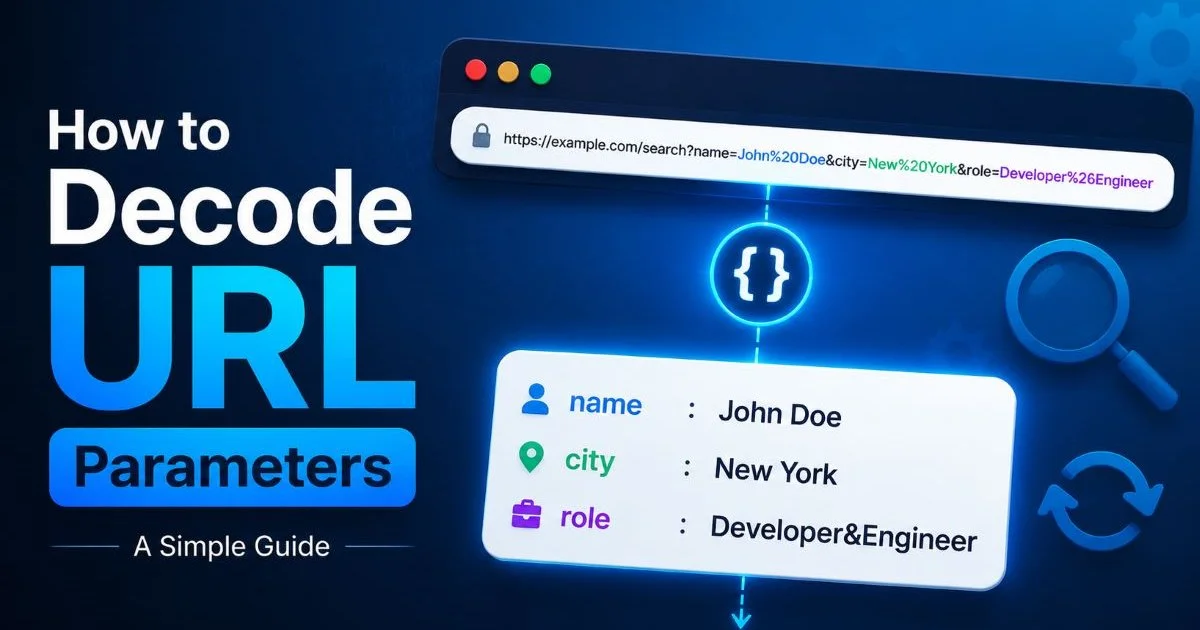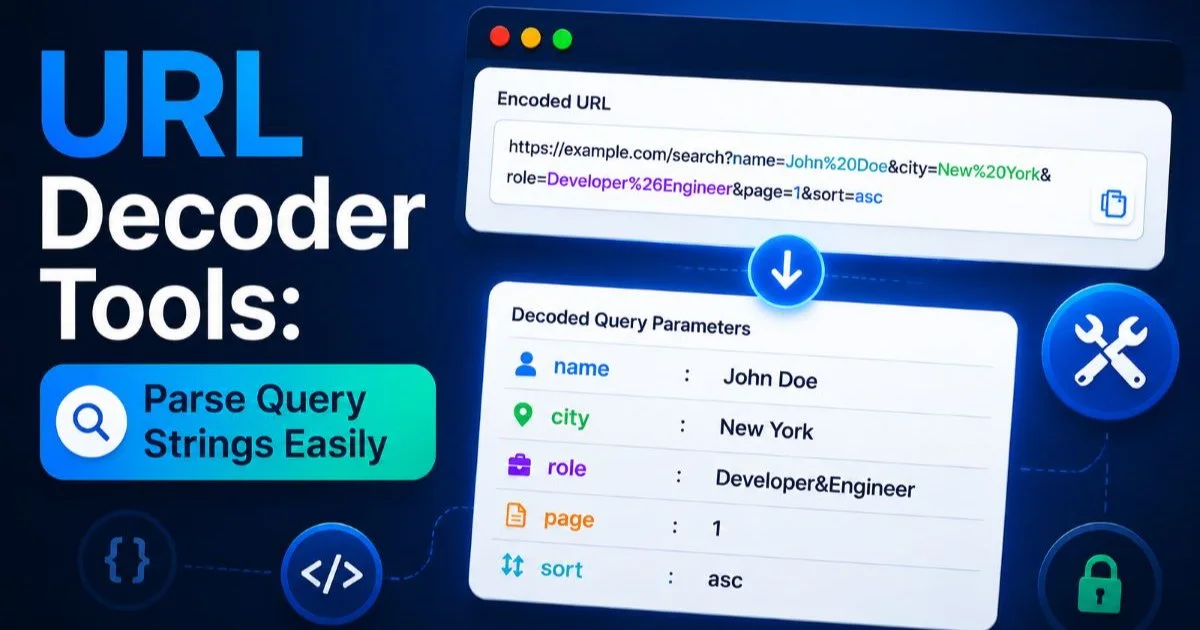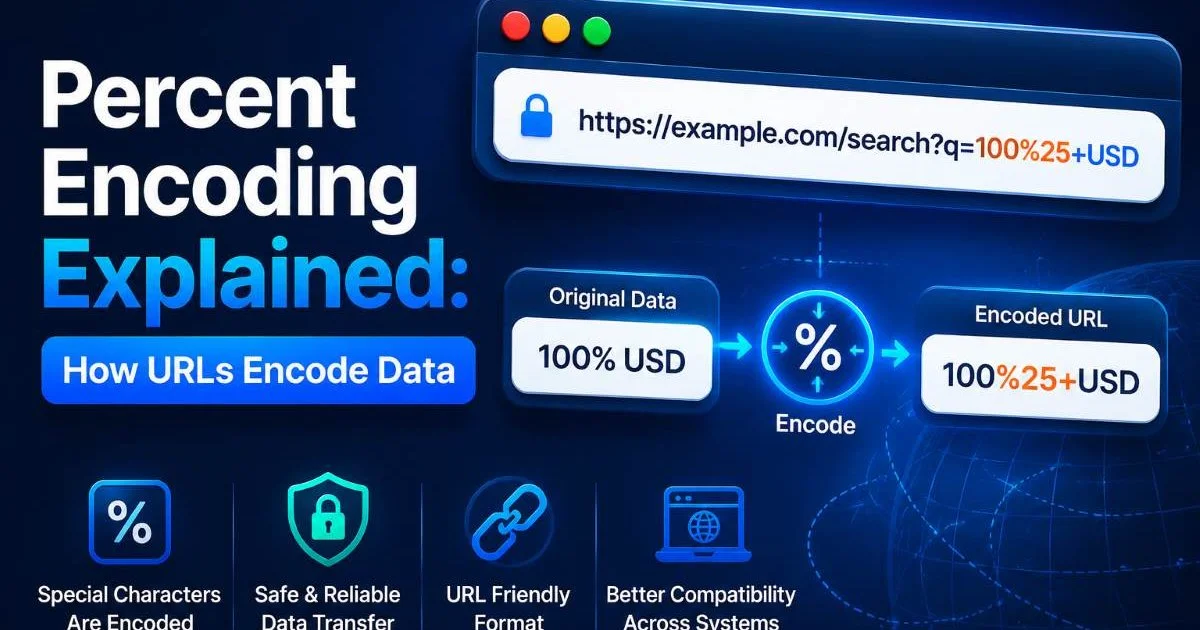
Percent encoding is the mechanism that allows URLs to carry data safely across the internet. Every time you decode a URL, inspect query string parameters, or use a URL decoder tool, you're working with percent-encoded values. This encoding scheme converts characters that would otherwise break a URL into a safe format using the percent sign followed by two hexadecimal digits.
For web developers building applications and marketers analyzing campaign links, understanding how this process works is not optional. Misread encoding leads to broken links, lost tracking data, and frustrated users.
Parsing encoded URLs correctly means the difference between clean analytics and garbage data. This guide walks you through the entire percent encoding system, step by step, so you can read, write, and troubleshoot encoded URLs with confidence.
Key Takeaways
- Percent encoding replaces unsafe URL characters with a percent sign and two hex digits.
- Spaces can appear as
%20or+depending on the encoding context. - Reserved characters like
&,=, and?have special meaning in query strings. - Double encoding happens when already-encoded values get encoded again accidentally.
- Free URL decoder tools can instantly reveal the human-readable data inside encoded strings.
1. What Percent Encoding Is and Why URLs Need It
URLs were designed in the early 1990s with a limited character set in mind. The original specification, RFC 1738, restricted URLs to a subset of ASCII characters. Any character outside this set, or any character that serves a special structural purpose within the URL, must be encoded before it can travel across the network. This is where percent encoding enters the picture, as described in our breakdown of how URLs actually work.
The ASCII Constraint
A URL can only safely contain letters (A-Z, a-z), digits (0-9), and a handful of special characters like hyphens, underscores, periods, and tildes. Everything else needs to be percent-encoded. This includes spaces, non-English characters, and even common punctuation like curly braces or pipe symbols. The constraint exists because different systems along the network path (DNS servers, proxies, web servers) might interpret unexpected characters differently, corrupting the URL in transit.
Reserved vs. Unreserved Characters
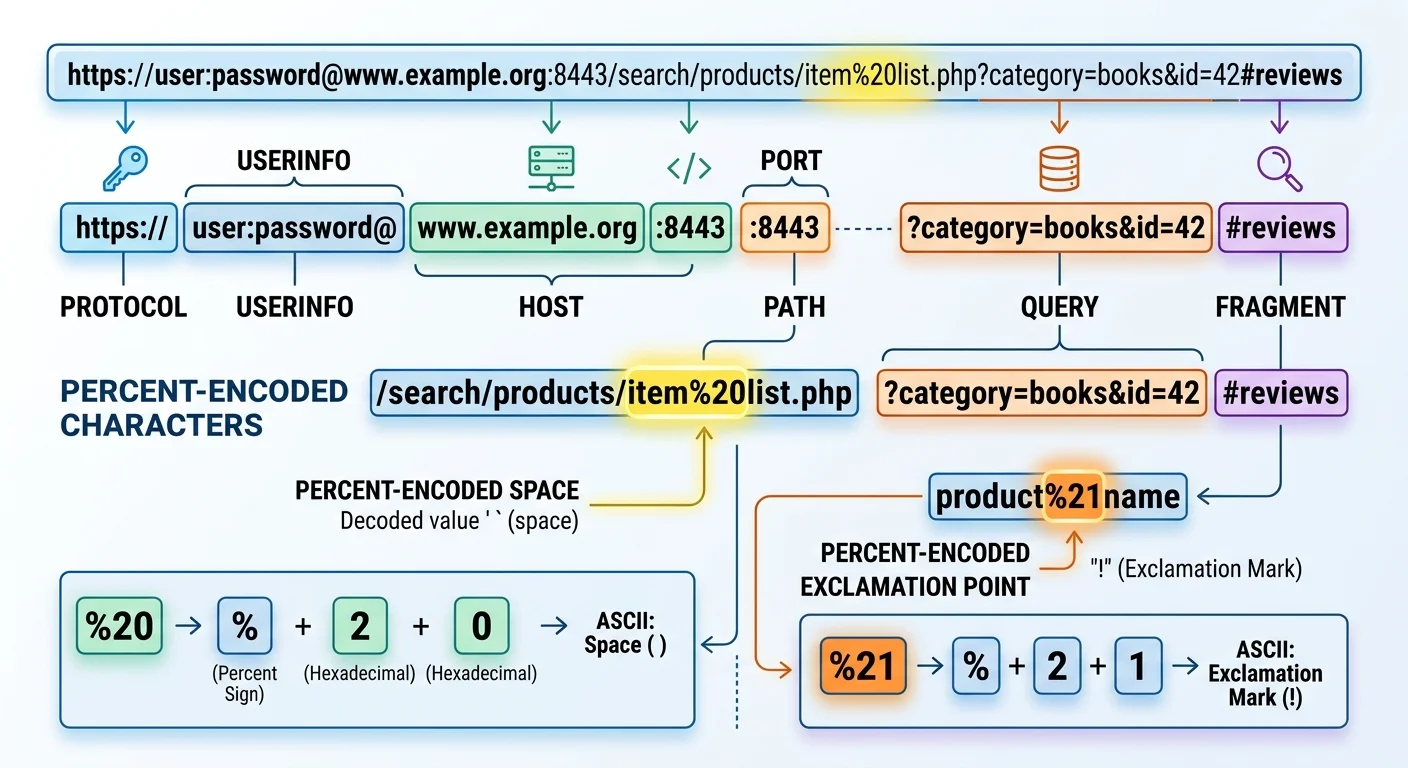
Reserved characters are those with special meaning in URL syntax. The question mark (?) starts a query string. The ampersand (&) separates parameters. The equals sign (=) assigns values. The forward slash (/) separates path segments. When you need to use these characters as literal data (say, passing an ampersand inside a search query), you must percent-encode them so the browser does not misinterpret their purpose.
| Character | Encoded Form | Typical Context |
|---|---|---|
| Space | %20 or + | Search queries, form data |
| & | %26 | Parameter values containing ampersands |
| = | %3D | Values containing equals signs |
| ? | %3F | Literal question marks in path or values |
| / | %2F | Slashes inside parameter values |
| # | %23 | Hash symbols in values (not as fragment) |
| @ | %40 | Email addresses in URLs |
| % | %25 | Literal percent signs |
Understanding the distinction between reserved and unreserved characters helps you recognize when encoding is necessary versus when it would be redundant. Encoding an already-safe character like a hyphen is harmless but adds unnecessary clutter. The real problems arise when reserved characters go unencoded, breaking the URL's structure and sending parsers into confusion.
When in doubt about whether a character needs encoding, check whether it appears in RFC 3986's unreserved character set: A-Z, a-z, 0-9, hyphen, period, underscore, tilde.
2. How Percent Encoding Works, Character by Character
The Encoding Process
The mechanics of percent encoding are straightforward. Take the character you need to encode, look up its byte value in ASCII (or UTF-8 for non-ASCII characters), then represent each byte as a percent sign followed by two uppercase hexadecimal digits. A space character has the ASCII value 32, which is 20 in hexadecimal, so it becomes %20. An exclamation mark is ASCII 33, hex 21, encoded as %21. The process is entirely deterministic.
Form submissions using the application/x-www-form-urlencoded content type introduce a wrinkle: spaces are encoded as + rather than %20. This is a legacy convention from early HTML specifications. Both representations are valid, but they appear in different contexts. Query string parameters generated by HTML forms typically use +, while path segments and other URL components use %20. If you need to decode URL parameters, you need to handle both forms.
The plus sign as a space is only valid in query strings. In path segments, a plus sign means a literal plus sign. Confusing the two is a common source of bugs.
UTF-8 and Multibyte Characters
Non-ASCII characters like accented letters, Chinese characters, or emoji require multiple bytes in UTF-8 encoding. Each byte gets its own percent-encoded representation. The German word "über" contains the character "ü," which is two bytes in UTF-8: 0xC3 and 0xBC. The encoded result is %C3%BC. A Japanese kanji character might produce three percent-encoded bytes, and an emoji can produce four. This is why encoded URLs sometimes look dramatically longer than their decoded equivalents.
Modern browsers display decoded versions of URLs in the address bar for readability, but the actual HTTP request always sends the percent-encoded form. This dual representation sometimes confuses developers who copy a URL from the browser bar and paste it into code, not realizing the underlying request uses encoding. Always work with the encoded form in your application logic and decode only for display purposes.
"Always work with the encoded form in your application logic and decode only for display purposes."
3. Decode Percent-Encoded URLs in Practice
Manual Decoding
You can decode percent-encoded strings manually if you know basic hexadecimal. Take %48%65%6C%6C%6F as an example. Convert each hex pair: 48 is 72 in decimal (the letter "H"), 65 is 101 ("e"), 6C is 108 ("l"), 6C again is "l," and 6F is 111 ("o"). The result is "Hello." This exercise builds intuition, but nobody does this at scale. URL decoder tools that parse query strings easily handle the tedious work instantly.
In JavaScript, decodeURIComponent() handles most decoding needs. Python offers urllib.parse.unquote(). PHP provides urldecode() and rawurldecode(), with the difference being that urldecode() also converts plus signs to spaces while rawurldecode() does not. Choosing the right function matters. Using rawurldecode() on form data will leave plus signs intact, producing incorrect results. Using urldecode() on path segments might incorrectly convert literal plus signs to spaces.
In PHP, use urldecode() for query string data and rawurldecode() for path segments. Mixing them up is a frequent source of subtle bugs.
Common Pitfalls
Double encoding is the most common mistake. It happens when a system encodes an already-encoded string. The percent sign in %20 gets re-encoded to %25, producing %2520. When decoded once, this yields %20 instead of a space. The fix is to never encode a string that has already been encoded. If you are unsure whether a string is pre-encoded, decode it first, then encode it once. This pattern, sometimes called "normalize then encode," prevents the layering problem.
Another pitfall involves query string parsing with multiple encoding layers. Campaign URLs often pass through several systems (email platforms, ad servers, redirect services), each potentially adding its own encoding. A URL might arrive with three layers of encoding, requiring three decoding passes to extract the original value. When you build systems that process URLs, log the raw incoming URL before any transformation so you can debug encoding issues after the fact.
Never blindly decode a URL multiple times in a loop until it stops changing. An attacker could craft a URL that decodes into a malicious payload through repeated decoding.
4. Real-World Applications for Developers and Marketers
Tracking and Analytics
Marketing URLs are some of the most heavily encoded strings you will encounter. UTM parameters, Facebook click IDs, Google's gclid values, and affiliate tracking codes all live in the query string. These parameters often contain values that themselves include special characters, leading to encoding. When you need to audit your campaign links, understanding percent encoding lets you read what is actually being tracked. You might also want to remove tracking parameters from URLs to create cleaner, more shareable links.
Marketers who share links across platforms should be aware that some platforms re-encode URLs when they are posted. Twitter, for instance, wraps all links through its t.co shortener, which handles encoding internally. Slack renders URLs but may strip or alter certain parameters. Testing your tracking URLs by decoding them after they pass through each platform in your distribution chain prevents data loss. Following website best practices for link hygiene keeps your analytics clean and your attribution models accurate.
Security Considerations
Percent encoding has direct security implications. Attackers use encoding to obfuscate malicious payloads in URLs, bypassing naive input filters. A filter that blocks the string <script> might not catch %3Cscript%3E unless it decodes the input first. This technique, called encoding-based evasion, is one reason why security experts recommend decoding all input before validation. Using tools like software license checkers that detect hidden risks is another way teams audit for obfuscated threats in their dependencies.
Path traversal attacks also exploit encoding. An attacker might submit %2e%2e%2f (which decodes to ../) to navigate outside an intended directory. Web application firewalls (WAFs) must decode URLs before applying their rule sets, and many modern WAFs perform multiple decoding passes to catch double-encoded attacks. As a developer, always decode before you validate, and validate at the last possible moment before using the data.
Frequently Asked Questions
?How do I manually decode a percent-encoded query string?
?When should I use %20 versus + to encode a space?
?How long does fixing double-encoded URLs typically take?
?Does percent encoding strip or protect tracking parameters from privacy tools?
Final Thoughts
Percent encoding is the quiet backbone of how data moves through URLs. Once you understand the hex conversion process, reserved character rules, and UTF-8 multibyte patterns, encoded URLs stop looking like gibberish.
For developers, the practical takeaway is to encode once, decode carefully, and never trust user-supplied URLs without normalizing them first. For marketers, decoding your campaign URLs regularly catches broken tracking before it corrupts your data. Whether you are building applications or analyzing traffic, this knowledge pays for itself every day.
Disclaimer: Portions of this content may have been generated using AI tools to enhance clarity and brevity. While reviewed by a human, independent verification is encouraged.